Eventi

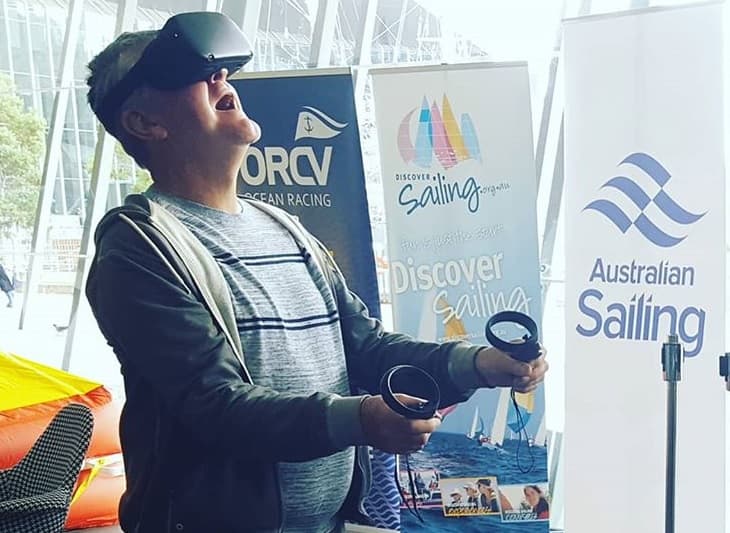
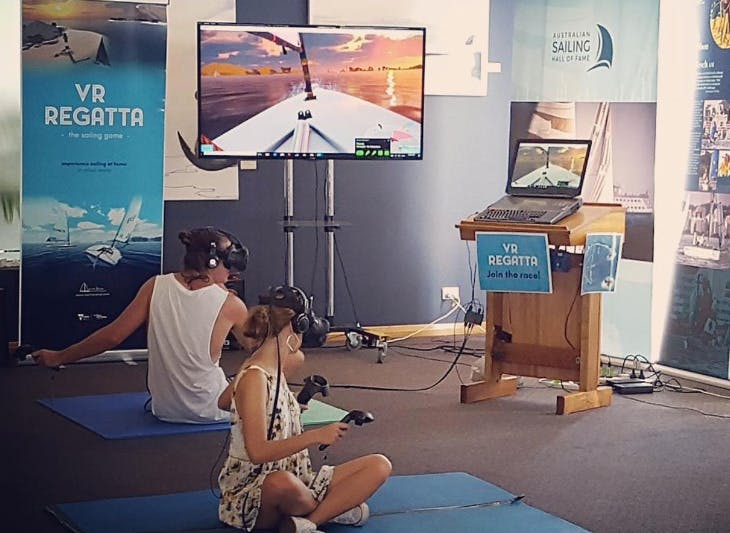
Vela in realtà virtuale al tuo evento

Vela in realtà virtuale
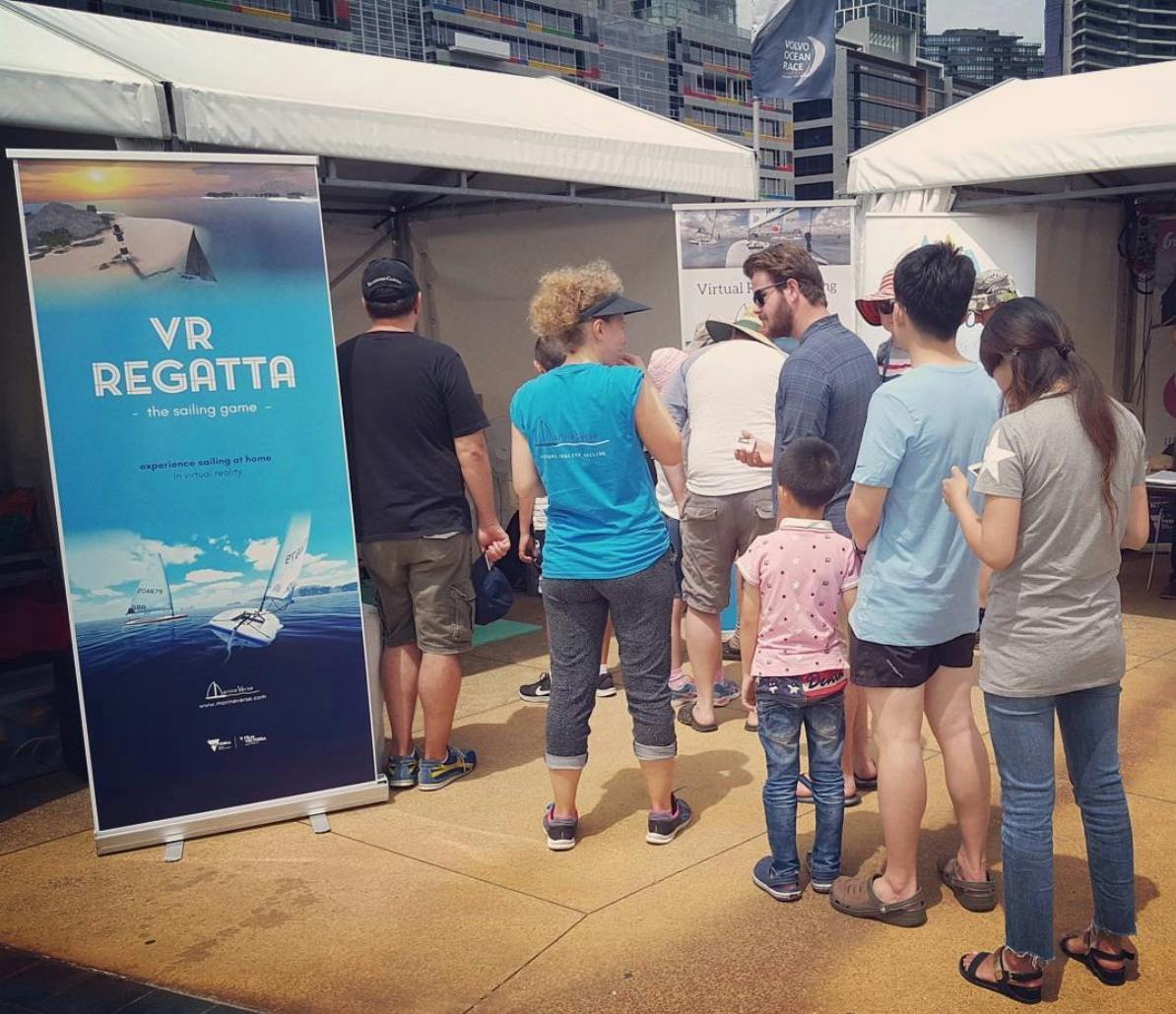
Volvo Ocean Race VR
Festival Of Sails a Geelong

Vuoi portare la vela in realtà virtuale al tuo evento?

Per il self-service segui queste istruzioni

oppure contattaci: events@marineverse.com

Hai bisogno di una configurazione guidata multi-visore?

MarineVerse for Teams è la versione pronta per gli eventi di MarineVerse Sailing Club per scuole, club e organizzatori di eventi.

Aggiunge la Modalità Evento, i Comandi Remoti e il supporto all'avvio offline selezionato per demo dal vivo più fluide.

Caratteristiche

  • Contenuti di vela coinvolgenti testati con successo in vari eventi e supportati dalla principale app di vela in realtà virtuale sulla piattaforma di gioco Steam.
  • Facile da usare e ottimizzato per gli eventi
  • Licenza commerciale interessante
  • ( Opzionale ) Classifiche online con opportunità di branding
  • ( Opzionale ) Personalizzazione dei contenuti, branding in-game sulle vele o il tuo modello 3D personalizzato

Testimonianze

"VR Regatta è un'entusiasmante novità per il mondo della vela. Abbiamo utilizzato questa tecnologia come parte delle nostre proposte Discover Sailing in numerosi eventi, tra cui il Gran Premio d'Australia, la tappa Volvo, l'inaugurazione del Club e le Discover Sailing Days. Si è dimostrata una piattaforma efficace per avvicinare nuove persone allo sport della vela in combinazione con esperienze reali in acqua"

    Gavin Wall, Regional Manager, Australian Sailing

“Sono così felice che, quando mi è stato chiesto di organizzare uno stand VR al London Boat Show, mi sia imbattuto in MarineVerse e nella loro app VR Regatta. Lavorare con i ragazzi di MarineVerse è stato un sogno, rendono tutto così facile da configurare e gestire che lo stand è stato un successo strepitoso, con oltre 200 partecipanti e molti altri interessati a come potrebbe essere utilizzata nella loro scuola di formazione, nel loro club o persino come exhibit interattivo in un museo….”

    Tim Chalklen, Director at Unified Digital Solutions Ltd

Contatto: events@marineverse.comCopia l'email negli appunti

Events FAQ

Event Basics#

What kind of events can MarineVerse support?
MarineVerse can be featured at boat shows, sailing club open days, school STEM events, corporate team building, Sailability programs, and any event where you want to introduce people to sailing in a fun, safe, and engaging way.
What equipment do I need to run VR sailing at my event?
You need a Meta Quest headset (Quest 3 or Quest 3S recommended), the MarineVerse Sailing Club app installed, a stable WiFi connection, and ideally a TV or monitor for spectator viewing via casting.
Is there an event-optimized version of MarineVerse?
Yes. MarineVerse for Teams is the event-ready version of MarineVerse Sailing Club for schools, clubs and event organisers. It is built for guided demos, Event Mode, Remote Commands and smoother multi-headset experiences. If you are running repeated participant sessions or facilitator-led activations, this is our recommended setup.
How many people can try VR sailing at an event?
With one headset, expect roughly 10-15 people per hour (5-6 minute sessions). For higher throughput, use multiple headsets. Many events run 2-3 headsets simultaneously with a dedicated facilitator for each.
Is there a commercial license required?
For occasional club events and demos, the standard app is fine. For commercial use (paid events, ongoing programs, branded experiences) with under 5 headsets, ensure each account has a Club Membership (Sailing Pass) purchased. For events with 5+ headsets, contact us at events@marineverse.com for discount and custom pricing.
How many headsets can sail together?
Up to 7 sailors can join the same multiplayer room/sailing session. For larger groups, you can create multiple rooms running simultaneously. This lets you support bigger events by splitting participants into groups of 7.
I have more than 10 headsets. Can you support that?
Yes! For large-scale deployments with 10+ headsets, contact us at events@marineverse.com for custom solutions, volume pricing, and dedicated support.

Setting Up#

How do I set up VR sailing for an event?
For small self-service setup, follow our event setup guide. Key steps: download MarineVerse Sailing Club, set up a play area, configure casting to a TV, and prepare a quick intro script for participants. If you want a more guided operator workflow, multi-headset participant flow, or selected offline startup support, see MarineVerse for Teams.
What space do I need?
A 2m x 2m clear area per headset is ideal. Participants will be seated or standing in place, so you don't need a large room. Ensure good lighting (not too bright or dark) and minimal obstacles.
How do I cast to a TV for spectators?
Use Meta Quest's built-in casting to a smart TV, browser, or the Meta Mobile App. This lets spectators watch what the VR user sees, making it more engaging for everyone waiting in line.
What about hygiene concerns with shared headsets?
Use disposable face covers (available from Meta or third parties), clean headsets between users with alcohol wipes, and keep hand sanitiser available. Some events provide individual face masks for each participant.

Getting Help#

How do I get support for my event?
Contact us at events@marineverse.com with details about your event. We can provide guidance, promotional materials, and for larger events, discuss custom arrangements.
Can MarineVerse attend or help run my event?
For select events, we may be able to provide direct support. This depends on location and event size. Contact us well in advance to discuss possibilities.

Planning an event? - See MarineVerse for Teams, contact us at events@marineverse.com, or join MarineVerse Discord for community support.

See all FAQ →